Your YouTube Thumbnail Is 230 Pixels Wide: The Sizes We Measured
You design a thumbnail at 3840×2160. You judge it at full screen, in the design tool, where every word is crisp and the face is enormous. Then you publish it, and the people you made it for meet it at 230 pixels wide, in a column beside a video they are already watching.
That gap is where most thumbnails are lost. Not because the image is bad — because the decision was made at a size nobody browses at. So we measured the sizes that actually matter, in a real browser against YouTube, on 13 September 2026. Here is what came back.
What YouTube asks for, and what YouTube shows
YouTube’s own guidance for a custom thumbnail is 3840×2160, 16:9, JPG or PNG, with a minimum width of 640 pixels. That is the upload. It says nothing about the display, and the display is a different story on every surface:
- 500 × 281 — search results, on a 1920-wide desktop
- 420 × 236 — home and channel grid, same screen
- 410 × 231 — search results in a 955-wide window
- 375 × 210 — mobile search, full width of a 375-pixel phone
- 325 × 183 — the watch page sidebar, 1920-wide desktop
- 230 × 129 — that same sidebar on a 1366-wide laptop
Those are CSS pixels, measured on the rendered elements themselves rather than read off a spec sheet. The largest is 500 wide. The smallest is 230, and 230×129 is about 3% of the pixels in the file you uploaded.
The smallest surface is the one to design for
A 1366-wide laptop is not an edge case; it is one of the most common screen widths in the world, and the watch-page sidebar is where an enormous share of views begin — people who are already watching something and pick the next thing from the column on the right.
At 230×129, a five-word headline that looked confident in your design tool is about a fifth of the height it was. Fine outlines vanish. Thin strokes fill in. Three-colour gradients turn into one colour. None of that is visible while you are designing, and all of it is visible to the viewer.
The practical fix is not subtle: look at the small one first. That is why the YouTube Thumbnail Tester renders 230×129 at the top of the page rather than at the bottom. If the words are not readable there, they are not doing any work, and the honest move is to cut them rather than shrink them.
The 2 MB limit is only half true
Search for the thumbnail file-size limit and every result says 2 MB. That number is real, and it is incomplete. YouTube’s help pages give two: 2 MB when you upload from the mobile app, and 50 MB when you upload from a computer — for the same video.
The consequence is a small, common, entirely avoidable act of self-harm: people compress a good thumbnail into a blocky one to clear a limit that does not apply to them. If you are uploading from a desktop browser, you have twenty-five times the headroom the guides tell you about. Use it.
The duration badge takes the corner, and it never shrinks
Measured on YouTube’s mobile site, the black duration badge is 30.5×18 CSS pixels, sitting 12 pixels in from the right edge and 9 up from the bottom of a 375-pixel-wide thumbnail. On desktop it is set in the same 12-pixel type.
That last detail is the one worth keeping. The badge does not scale with the thumbnail — it is roughly a fixed size everywhere. So it takes more than twice as big a bite out of the 230-pixel sidebar thumbnail as it does out of the 500-pixel search one. Whatever you put in the bottom-right corner is at its smallest exactly where it is most likely to be covered.
What to actually do with this
- Design at 3840×2160 if you like, but review at 230×129. Decisions made at the review size are the ones that survive.
- Three or four words, not seven. The word count that works at 500 pixels is not the one that works at 230.
- Keep the bottom-right corner empty. The badge lives there and it is proportionally biggest on the smallest surface.
- Upload from a computer if the file is over 2 MB — the desktop cap is 50 MB.
- Supply 16:9. Anything else gets fitted to 16:9 and you do not choose how.
A preview is not an A/B test, and YouTube has a real one
Comparing two thumbnails side by side tells you which one you prefer at the size viewers see. That is genuinely useful, and it is not a test — a test needs viewers.
YouTube has one built in. Test & Compare takes up to three titles or thumbnails, runs in YouTube Studio on a computer, requires advanced features to be enabled on the channel, and — the part people miss — picks the winner on watch time, not clicks. A thumbnail that wins on clicks and loses on watch time will lose that test, which is usually the right answer.
So the workflow that makes sense is: preview at the real sizes, throw out the ones that die at 230 pixels, and send the two survivors to a real test. Deciding which two are worth a week of traffic is exactly what a preview is for.
Wrapping up
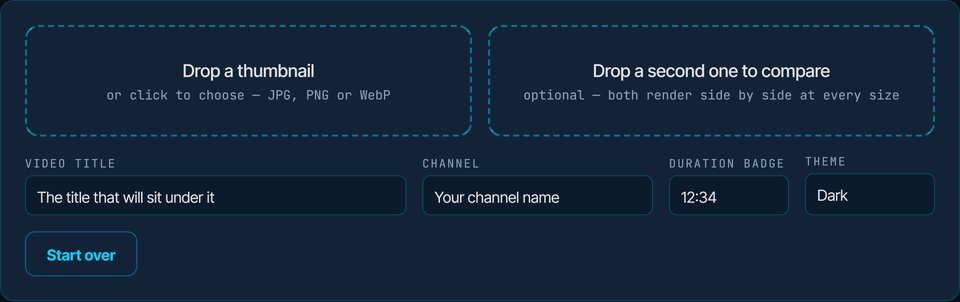
None of this is about making a prettier thumbnail. It is about making the decision at the size the decision gets made — in a sidebar, at 230 pixels, next to a video someone is already enjoying. The YouTube Thumbnail Tester renders all six measured sizes and compares two at once, in your browser, with nothing uploaded. If you want the current thumbnail off a video to compare against, the Thumbnail Downloader will fetch it.
Related reading: our YouTube thumbnail guide covers the design side — what to put in the frame, not how big the frame is.
Frequently Asked Questions
What size should a YouTube thumbnail be in 2026?
Upload 3840×2160, 16:9, JPG or PNG, at least 640 pixels wide. But design for the display sizes, which we measured on 13 September 2026 at 500×281 in desktop search, 420×236 in a channel grid, 375×210 on a phone, 325×183 in the watch-page sidebar and 230×129 in that sidebar on a 1366-wide laptop.
Is the YouTube thumbnail size limit 2 MB or 50 MB?
Both. YouTube’s help pages state 2 MB when you upload from the mobile app and 50 MB when you upload from a computer, for the same video. Most guides quote only the 2 MB figure, which leads people to over-compress a thumbnail they could have uploaded intact from a desktop browser.
How much of the thumbnail does the duration badge cover?
Measured on YouTube’s mobile site, the badge is 30.5×18 CSS pixels, inset 12 from the right and 9 from the bottom. It uses the same 12-pixel type on desktop, so it does not scale with the thumbnail — it takes more than twice as big a bite out of a 230-pixel sidebar thumbnail as out of a 500-pixel search one.
Can I A/B test thumbnails on YouTube?
Yes. Test & Compare in YouTube Studio takes up to three titles or thumbnails, runs on a computer, needs advanced features enabled, and decides the winner on watch time rather than clicks. It is not available for Shorts, scheduled lives or Premieres. A preview tool is for choosing which variants deserve that test.