What a OPUS file actually is
Opus is an audio codec standardised in 2012 for speech and music at low bitrates, and it is very good at it: a voice note at 16 to 24 kbps sounds cleaner than an MP3 at three times the size. That is why WhatsApp, Telegram, Signal, Discord and every WebRTC call use it. A file with the .opus extension is Opus audio inside an Ogg container, the same container as .ogg, which is why renaming one to the other sometimes works.
The reason this question is asked so much is WhatsApp. Its voice notes are stored and exported as PTT-20260916-WA0001.opus, and the moment one leaves the chat, by export, backup or email, it lands on a device whose built-in player may not know what to do with it. Telegram saves voice notes as .oga or .ogg with the same codec inside.
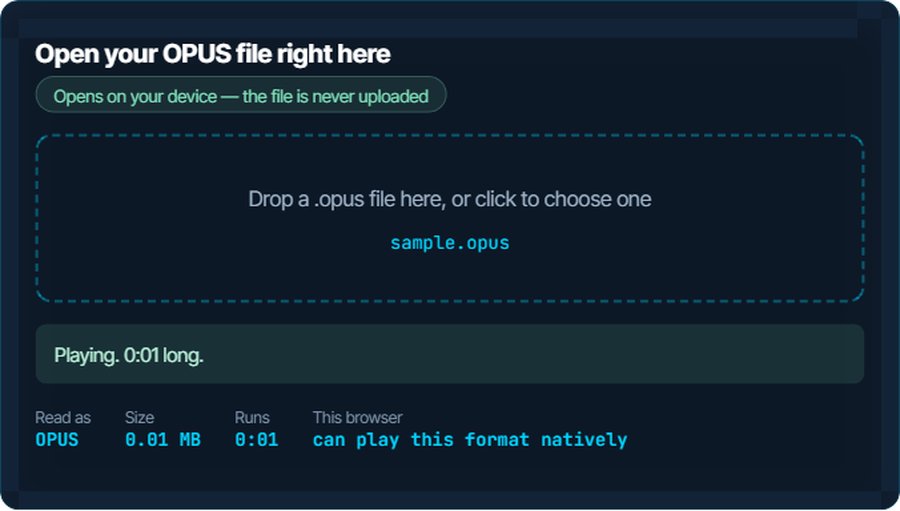
The codec is far better supported than the extension. Windows 10 and 11, Android since 5.0, and every major browser can decode Opus. What breaks is usually the Ogg container, or an app that refuses on the extension alone. The inspector above tests your browser honestly: it asks whether it can play the format, then actually tries.
How to open a OPUS file on each device
Windows
Windows has had an Opus decoder since 2016, but Media Player and the Films & TV app also need the Ogg container, which comes with the free Web Media Extensions package from the Microsoft Store. Install it and .opus files play by double-click. VLC skips that step: it plays .opus out of the box, as do foobar2000 and Audacity.
macOS
QuickTime Player, Music and the Finder preview do not open .opus. VLC and IINA do, and both are free. Audacity opens it for editing. If you need it in Apple's apps, convert to M4A or MP3 below.
iPhone and iPad
Inside WhatsApp or Telegram the note plays in the chat. Saved to the Files app, an .opus will not preview. VLC for iOS plays it; so does Documents by Readdle. For the Voice Memos app or iMovie, convert to M4A.
Android
Android has decoded Opus since 5.0, so most players open it once you get past the file manager. Files by Google and VLC both play it; if a player refuses on the extension, renaming .opus to .ogg is often enough, because the container is the same.
In a browser
Chrome, Firefox, Edge and Opera play Ogg Opus in an audio element, which is what the inspector above uses. Safari's support has been partial and version-dependent, so the honest answer for Safari is the test above.
In an editor or a video project
Audacity imports .opus directly. Most video editors, including Premiere Pro and iMovie, do not; convert to WAV for editing or MP3 for a quick drop-in. Nothing is lost that was not already lost by the voice note's own compression.
When it will not open, or opens wrong
Windows Media Player says the format is not supported
The codec is there; the Ogg container is not. This is the single most common failure with .opus on Windows.
The fix: Install Web Media Extensions from the Microsoft Store, or use VLC. Or convert to MP3 below and never think about it again.
The file plays but shows 0:00 length or cannot be scrubbed
Some voice-note exports carry no duration in the header, and a player that reads the header rather than the stream shows nothing until it has played to the end.
The fix: Play it through once, or convert it: the converter writes a proper header. The inspector above reports the real length after decoding.
iPhone says it cannot open the file
Apple's built-in apps do not decode Ogg Opus. The file is not damaged.
The fix: Open it in VLC for iOS, or convert to M4A, which every Apple app plays.
The volume is very low or the voice sounds hollow
That is the recording, not the file: a phone held far from the mouth, encoded at 16 kbps. Opus reproduces what it was given.
The fix: Normalise the loudness with the loudness normaliser after converting to WAV or MP3. The noise reducer on kliptools.io cleans up background hiss.
An editor imports it as silence or refuses it
The editor does not decode Opus. Older versions of Audacity and most video editors are in this group.
The fix: Convert to WAV for editing. It is larger, but nothing further is lost, and every editor opens WAV.
You need the words, not the audio
A long voice note is faster to read than to hear, and you cannot search audio.
The fix: The speech-to-text tool on kliptools.io transcribes an .opus directly. Ten minutes a day are free.
What to do with it next
Questions people ask
What is an OPUS file?
Audio compressed with the Opus codec, stored in an Ogg container. It is the format WhatsApp, Telegram and Signal use for voice notes, and the codec behind most internet calls.
How do I play an OPUS file on Windows?
Double-click works once the free Web Media Extensions package is installed from the Microsoft Store. VLC plays it with nothing extra. Or convert it to MP3 on this site.
Why will my iPhone not open a WhatsApp voice note?
Apple's built-in apps do not decode Ogg Opus. Play it in VLC for iOS, or convert to M4A, which every Apple app understands.
Is OPUS the same as OGG?
Same container, different codec. A classic .ogg holds Vorbis audio; an .opus holds Opus audio in the same Ogg wrapper. Renaming .opus to .ogg often works because the wrapper is identical.
Does converting OPUS to MP3 lose quality?
A little, because MP3 is also lossy and re-encodes what Opus already compressed. For a voice note it is inaudible. Converting to WAV or FLAC loses nothing further.
How do I get the text out of a voice note?
Use the speech-to-text tool on kliptools.io: it accepts .opus directly, transcribes it, and gives you the text to copy. The first ten minutes a day are free.