What a MOV file actually is
QuickTime's .mov container dates from 1991 and is the direct ancestor of MP4: the two share the same structure, and a MOV holding H.264 video and AAC audio is an MP4 in all but name. What makes a MOV awkward is never the box. It is the codec inside, and since iOS 11 in 2017 an iPhone's default is HEVC, also called H.265, which halves the file size and which Windows does not decode without an extension.
So the file that will not open is almost always an iPhone video on a Windows PC or an Android phone: a black screen with sound, a “codec not supported” message, or a thumbnail that never renders. Mac screen recordings, ProRes footage from cameras and Final Cut exports are also MOV, and the ProRes ones are enormous.
Two iPhone settings prevent the problem at the source, and they are worth knowing before any conversion. Settings → Camera → Formats → Most Compatible records H.264 instead of HEVC; Settings → Photos → Transfer to Mac or PC → Automatic converts HEVC to H.264 when you copy videos off the phone. For files you already have, the converter below does the same thing.
How to open a MOV file on each device
Windows
Media Player, the Films & TV app and Photos open a MOV with H.264 natively. For an HEVC MOV from a recent iPhone they need the HEVC Video Extensions from the Microsoft Store; without it you get a black screen or an error. VLC plays every MOV, HEVC and ProRes included, with nothing installed. The old Windows Media Player 12 does not read MOV at all.
macOS
Everything: QuickTime, Photos, Finder preview, iMovie, Final Cut. If a MOV will not open on a Mac it is damaged, not unsupported.
iPhone and iPad
Native. Photos, Files and iMovie all open it. Nothing to do.
Android
Android's built-in player reads the QuickTime container and plays H.264 MOVs; HEVC plays on phones with hardware decoding, which is most phones since 2017. VLC and MX Player cover the rest. If a file arrived by WhatsApp it has already been re-encoded and plays anywhere.
In a browser
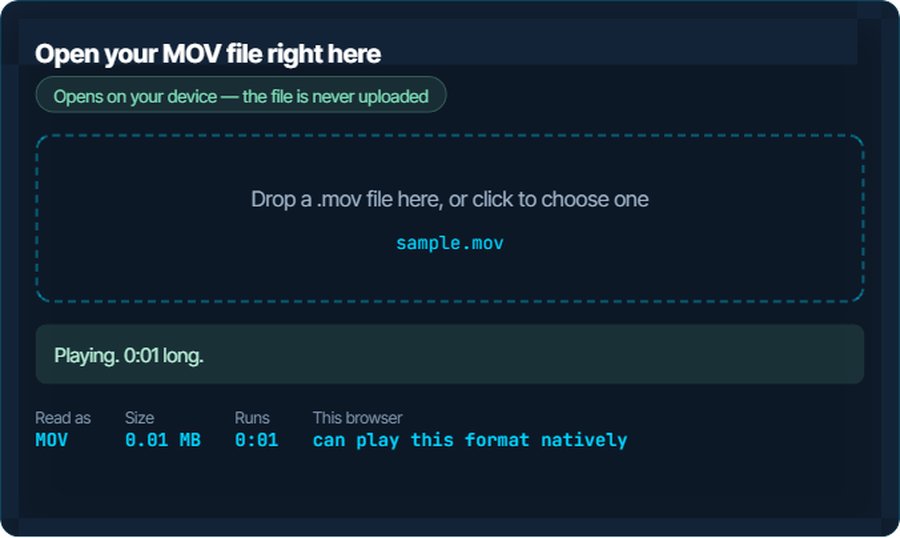
Chrome, Edge and Safari play a MOV with H.264 and AAC in a video element, treating it as MP4. HEVC plays only where the operating system decodes it: Safari always, Chrome and Edge only with hardware support. The inspector above is that test.
In a video editor
Premiere Pro, DaVinci Resolve, Final Cut and iMovie import MOV. The free edition of Resolve on Windows and some older editors do not decode HEVC; convert to H.264 MP4 first and everything imports it.
When it will not open, or opens wrong
Black screen with sound on Windows, or “codec not supported”
The MOV is HEVC and Windows has no HEVC decoder installed.
The fix: Install the HEVC Video Extensions from the Microsoft Store, play it in VLC, or convert to MP4 with H.264 on kliptools.io so it plays everywhere without extensions.
The video plays sideways or upside down
iPhones store the rotation as a flag in the file rather than rotating the pixels, and some players and websites ignore the flag.
The fix: Convert rather than remux: a re-encode applies the rotation to the pixels, and the result is upright everywhere.
Too big to email or send by WhatsApp
A minute of 4K at 60 fps from an iPhone is around 400 MB. Nothing is wrong; it is simply a lot of pixels.
The fix: The video compressor on kliptools.io takes a target size; 1080p at a sensible bitrate is a tenth of the file and looks the same on a phone.
An upload form rejects the file
Plenty of platforms list MP4 only, even though a MOV with H.264 is the same thing inside.
The fix: Change the container to MP4 with the converter. Where the codec allows it nothing is re-encoded, so it takes seconds.
The picture is fine but there is no sound
The audio track is PCM or ALAC from a camera or a screen recording, which some players and most websites do not decode, or the recording was muted.
The fix: Convert with AAC audio. The converter re-encodes only the sound.
The file is gigantic and came from a camera or Final Cut
It is ProRes, an editing codec that keeps almost everything: a gigabyte a minute is normal.
The fix: Keep the original for editing and convert a copy to H.264 MP4 for sharing. VLC plays the ProRes original if you only need to watch it.
What to do with it next
Questions people ask
What is a MOV file?
Video in Apple's QuickTime container, the format iPhones, iPads and Macs record in. It usually holds H.264 or HEVC video with AAC audio, and is structurally the same as MP4.
How do I open a MOV file on Windows?
Double-click it: Media Player and Films and TV play H.264 MOVs. If the file is HEVC from a recent iPhone, install the HEVC Video Extensions from the Microsoft Store, or use VLC, or convert it to MP4.
Why is my iPhone video a black screen on my PC?
It is HEVC, and the PC has no HEVC decoder. VLC plays it, the HEVC extension fixes the built-in apps, and converting to H.264 MP4 fixes it for good.
Is MOV the same as MP4?
Nearly. MP4 was derived from QuickTime, and a MOV with H.264 and AAC can be turned into an MP4 without re-encoding. The extension is the main difference.
How do I stop my iPhone recording in MOV?
You cannot change the container, but Settings, Camera, Formats, Most Compatible records H.264 instead of HEVC, and Settings, Photos, Transfer to Mac or PC, Automatic converts videos to H.264 when you copy them off.
Does converting MOV to MP4 lose quality?
Not when only the container changes; that is a remux and the video is untouched. Converting HEVC to H.264 is a re-encode and loses a little, invisibly at a reasonable bitrate.