What a AIFF file actually is
The Audio Interchange File Format was Apple's 1988 answer to the same problem WAV solved for Microsoft three years later: store audio exactly as sampled, with no compression at all. The two are near-identical inside, PCM samples in a chunked container, and differ mostly in byte order and in the one thing that keeps AIFF alive: it carries tags and cover art properly, which WAV never did well.
That is why you meet it where you do. Logic, GarageBand and QuickTime export it, Music rips to it when told to, Beatport and other DJ pools sell tracks in it, and Serato, Rekordbox and Traktor all read it with artwork intact. A DJ library in AIFF is the same audio as one in WAV with the metadata that WAV would have lost. It is also why the files are large: about 10 MB a minute for CD-quality stereo, exactly like WAV.
A rare cousin, AIFF-C with the .aifc extension, allows compression inside the same container. Almost nothing produces it today and fewer things read it. If a file will not open and ends in .aifc, that is the reason.
How to open a AIFF file on each device
Windows
Media Player, the Films & TV app and Groove play AIFF on Windows 10 and 11, and Windows Media Player has since Windows 7. VLC and foobar2000 play it too. Audacity, Reaper and every DAW open it for editing.
macOS
Native everywhere: QuickTime, Music, the Finder preview, GarageBand, Logic, Final Cut. AIFF is Apple's own format and nothing on a Mac refuses it.
iPhone and iPad
Native. The Files app previews it, Music plays it when synced, and GarageBand imports it. Storage is the only consideration; an album in AIFF is half a gigabyte.
Android
Not on Android's official list, so the built-in player and some third-party ones refuse it. VLC, Poweramp and USB Audio Player Pro play it. Or convert to WAV or FLAC, which every Android player reads.
In a browser
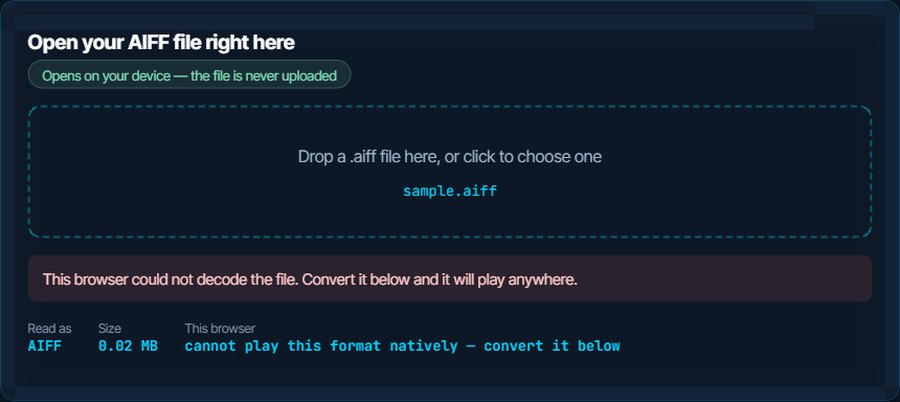
Safari plays AIFF in an audio element. Chrome, Firefox and Edge do not, so the inspector above will report that it cannot play the file in those browsers; that is the browser, not the file. Convert to WAV or FLAC for anything that has to play on the web.
In DJ software, an editor or a video project
Serato, Rekordbox, Traktor, Premiere Pro, Resolve, Audacity and Pro Tools all import AIFF directly. Nothing to convert unless the software is on an old Android device.
When it will not open, or opens wrong
An Android phone or a car stereo refuses the file
AIFF is not in their decoder list; WAV usually is, and MP3 always is.
The fix: Convert to WAV for a bit-for-bit copy, or to MP3 for size. Both play everywhere.
A browser or a web upload form will not play it
Only Safari decodes AIFF on the web.
The fix: Convert to WAV, or to FLAC if the destination accepts it, and the audio is identical.
The file is enormous
Uncompressed audio is about 10 MB a minute in CD quality, and more at 24-bit or 96 kHz.
The fix: Convert to FLAC to halve it with no loss, or to MP3 or M4A for a phone. Keep the AIFF as the master if it came from a session.
The extension is .aifc and nothing opens it
AIFF-C allows compressed audio inside the container, and most players only implement plain AIFF.
The fix: VLC plays it. Convert to WAV or FLAC and the question goes away.
Converted to WAV, the tags and artwork vanished
WAV has no standard place for them. This is the reason DJs keep AIFF.
The fix: Convert to FLAC or M4A instead, both of which carry tags and art, or keep the AIFF and convert only a travel copy.
A track sounds no different from the MP3
On a phone, a laptop or earbuds it may not. Uncompressed audio pays off on good equipment and in editing, where every generation of processing starts from the original.
The fix: Keep AIFF or FLAC for the master and for DJing; use MP3 at 320 kbps for listening on the move.
What to do with it next
Questions people ask
What is an AIFF file?
Uncompressed audio in Apple's container from 1988: the raw samples with no compression, the same as a WAV, plus proper tags and cover art. Logic, GarageBand and DJ pools produce it.
What is the difference between AIFF and WAV?
The audio is identical. AIFF carries tags and artwork properly and is Apple's default; WAV is Microsoft's and is read by more hardware. Converting between them is bit-for-bit lossless.
How do I open an AIFF file on Windows?
Double-click it. Media Player and Films and TV have played AIFF since Windows 7. VLC and Audacity open it too.
Why do DJs use AIFF instead of WAV?
Because it holds the metadata, artwork and cue information that DJ software relies on, at the same uncompressed quality. WAV drops most of that.
Does converting AIFF to WAV or FLAC lose quality?
No. Both are lossless: WAV is the same samples in another container, FLAC is the same samples compressed reversibly. Only MP3, AAC and similar formats lose anything.
Can I play an AIFF file on Android?
Not with most built-in players. VLC or Poweramp play it; otherwise convert to WAV or FLAC on this site.