What a HEIC file actually is
HEIC is what an iPhone produces when the camera is left on its default, High Efficiency. The file is a HEIF container, a format from the MPEG group, and the picture inside is compressed with HEVC, the same H.265 codec that records 4K video. The result is a photo about half the size of a JPEG of the same quality, with 10-bit colour. You will also meet the extension .heif, which is the same container, and AVIF, which is that container again with the royalty-free AV1 codec instead of HEVC.
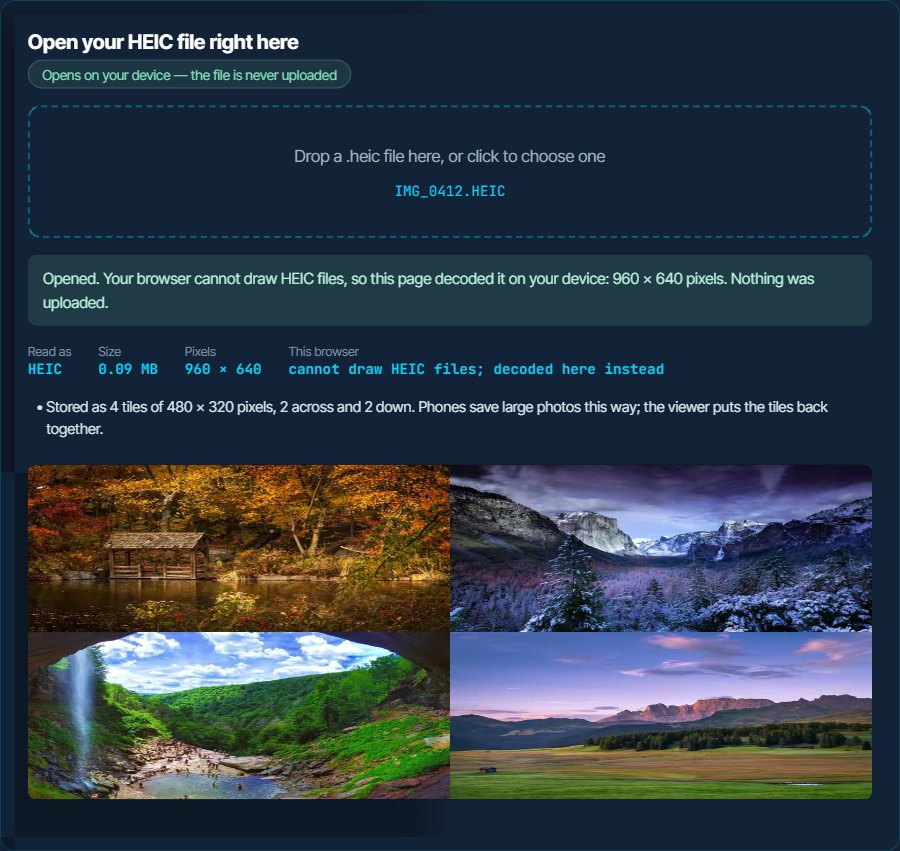
A HEIC is rarely one picture. An iPhone stores a 12-megapixel photo as a grid of 48 tiles of 512 pixels that the viewer stitches back together, plus a small preview, an HDR gain map that tells a bright screen how much to lift the highlights, a depth map for Portrait photos, the Display P3 colour profile and the EXIF data, which normally includes where the photo was taken. A Live Photo is a HEIC plus a .MOV with the same name, and a burst is a set of separate HEIC files. The inspector above lists what your file actually contains.
The trouble is licensing, not the file. HEVC needs a patent licence, so Apple pays it and opens HEIC everywhere, while Google, Microsoft and Mozilla leave it out of their browsers and Windows sells it as an add-on. That leaves three fixes: install the codec, tell the iPhone to hand over JPG, or convert the photos you already have.
How to open a HEIC file on each device
Windows
Windows 10 and 11 need two packages from the Microsoft Store: HEIF Image Extensions, which is free, and HEVC Video Extensions, which costs $0.99. Many PCs already have a free edition, HEVC Video Extensions from Device Manufacturer, installed by the maker; search the Store for it before paying. With both in place, Photos opens HEIC and File Explorer shows thumbnails. With only the first, Photos opens the file and asks for the second.
macOS
Native since High Sierra (10.13). Photos, Preview and Quick Look open HEIC without anything to install. To get a JPG, open the photo in Preview and use File > Export, or export from Photos with the format set to JPEG.
iPhone and iPad
The camera has saved HEIC by default since iOS 11. To shoot JPG from now on, set Settings > Camera > Formats to Most Compatible. To get JPG when you copy photos to a computer by cable, set Settings > Apps > Photos > Transfer to Mac or PC to Automatic (on iOS 17 and older, Settings > Photos). When sharing, the Options link at the top of the share sheet lets you pick Most Compatible for that share.
Android
Android reads HEIF since version 8 and phones capture it since Android 10. Google Photos opens HEIC, and so does Samsung's Gallery. Samsung phones can also shoot it: Camera settings > Advanced picture options > High efficiency pictures, which you can switch off to get JPG.
In a browser
Safari draws HEIC from version 17. Chrome, Edge and Firefox do not, on any system, because they ship without an HEVC decoder. The box above gets round that: when the browser cannot draw the photo, it downloads a decoder from this site and decodes the photo on your device. The photo itself is never sent anywhere.
In Photoshop, Lightroom, GIMP and upload forms
Photoshop opens HEIC on a Mac and, on Windows, once both Microsoft extensions above are installed. Lightroom imports it too. GIMP reads it from 2.10.2 in builds that include the HEIF plug-in. Upload forms that list JPG, PNG and GIF will refuse it; convert to JPG first.
When it will not open, or opens wrong
Windows Photos says it needs the HEVC Video Extensions
The free HEIF extension is installed but the HEVC decoder it relies on is not.
The fix: Install HEVC Video Extensions from the Microsoft Store, or the free Device Manufacturer edition if the Store offers it on your PC. Or convert the photo to JPG below.
Chrome, Edge or Firefox shows nothing, or just downloads the file
None of the three can draw HEVC, whatever the operating system.
The fix: Drop the file in the box above to view it, or convert it to JPG, which every browser shows.
A website, form or print shop rejects the photo
Most upload forms still accept only JPG and PNG.
The fix: Convert to JPG. On an iPhone, uploading straight from Safari usually sends a JPG on its own; the problem is almost always a HEIC that was first copied to a computer.
Photos copied from the iPhone to a PC arrive as HEIC
The iPhone is set to keep originals when transferring, or the photos were copied as files rather than imported.
The fix: Set Settings > Apps > Photos > Transfer to Mac or PC to Automatic and copy them again, or set the camera to Most Compatible so new photos are JPG from the start.
The Live Photo is only a still picture now
The motion was never in the HEIC. It is the .MOV file with the same name, which did not come along.
The fix: Copy the .MOV too. It is an ordinary video, and the MOV guide below explains how to play or convert it.
The converted JPG looks less bright than on the iPhone
iPhone photos carry an HDR gain map that tells an HDR screen to brighten the highlights. A JPG has no place for it, so you see the standard version the photo was built on.
The fix: Nothing is wrong with the conversion; on an ordinary screen both look the same. The converter here keeps the photo's Display P3 colour profile, so the colours themselves are unchanged.
What to do with it next
Questions people ask
What is a HEIC file?
A photo in the format iPhones use by default since iOS 11: a HEIF container holding a picture compressed with HEVC. It is about half the size of a JPEG of the same quality.
How do I open a HEIC file on Windows?
Install HEIF Image Extensions (free) and HEVC Video Extensions ($0.99, or the free Device Manufacturer edition if your PC has it) from the Microsoft Store. Photos then opens it. Or convert it to JPG.
How do I convert HEIC to JPG?
Use the image converter on this site: drop the photo, JPG is already selected, download. The photo is converted on our server and not stored, and the JPG leaves out the location and camera data.
How do I make my iPhone take JPG instead of HEIC?
Go to Settings > Camera > Formats and choose Most Compatible. Photos already taken stay HEIC; set Settings > Apps > Photos > Transfer to Mac or PC to Automatic to get those as JPG when you copy them to a computer.
Why can Chrome not open HEIC files?
HEIC pictures are compressed with HEVC, which needs a patent licence. Chrome, Edge and Firefox ship without it. Safari has it from version 17.
Does converting HEIC to JPG lose quality?
Very little at a high quality setting, but the JPG is usually about twice the size and the HDR highlight boost is not carried over. Keep the HEIC as the original if you have space.