What a MKV file actually is
Matroska, the format behind .mkv, is an open container from 2002 that was designed to hold anything: any video codec, any number of audio tracks in any language, subtitle tracks as SRT or styled ASS, chapters, cover art and attached fonts. That flexibility is why releases, Blu-ray rips made with MakeMKV, anime fansubs and Plex libraries use it, and why OBS has recommended it for recordings for years: an MKV that is cut off by a crash is still playable, where an MP4 is not.
The same flexibility is the reason it will not open somewhere. A player that refuses an MKV is usually refusing something inside it, an HEVC track it cannot decode or a DTS audio stream it does not licence, and the file name gets the blame. QuickTime, iMovie, Final Cut and Premiere Pro refuse the container itself, whatever is inside.
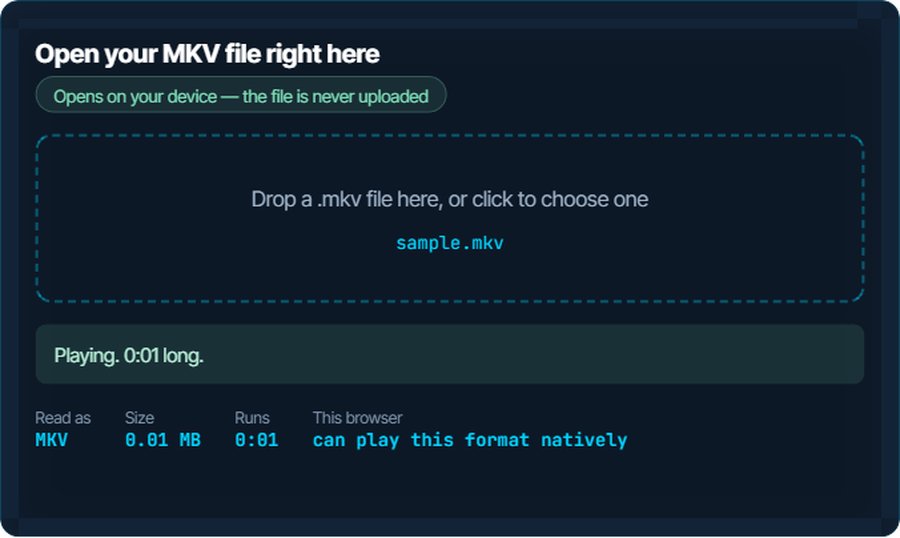
Because the box and the contents are separate, the usual fix is a remux: the same video and audio moved into an MP4 container, no re-encoding, no quality change, done in seconds. Only when the codec itself is the problem does a real conversion become necessary. The inspector above tells you which case you are in, because a browser that plays the file is decoding the codecs, not just recognising the extension.
How to open a MKV file on each device
Windows
Media Player and the Films & TV app open MKV natively on Windows 10 and 11 as long as they can decode what is inside. H.264 always works; HEVC needs the HEVC Video Extensions from the Microsoft Store, and AV1 the free AV1 Video Extension. Neither app switches audio tracks or subtitles well. VLC, MPC-HC and mpv play everything with nothing installed, and let you pick tracks.
macOS
QuickTime Player does not open MKV at all, and neither does the Finder preview. IINA and VLC do, with track selection and styled subtitles. To get a file into QuickTime, Photos or iMovie, remux it to MP4 below; if it is H.264 or HEVC with AAC audio, nothing is re-encoded.
iPhone and iPad
No built-in app plays MKV and Files will not preview it. VLC for iOS plays most; Infuse plays all of them, including HEVC and styled ASS subtitles, and streams from a NAS or Plex. Or remux to MP4 and use the Photos app.
Android
Android has played MKV since 4.x with the codecs the device supports, and most phones since 2017 decode HEVC in hardware. VLC and MX Player cover the rest, including audio in DTS or AC3 that the built-in player skips.
In a browser
Chrome and Edge play MKV directly when the video is H.264, VP9 or AV1 and the audio is AAC, Opus or Vorbis, because Matroska is the parent of WebM. Firefox and Safari do not. The inspector above is that test: if it plays, this browser can decode both the container and the codecs.
In a video editor, on a TV or a console
Premiere Pro, iMovie and Final Cut do not import MKV; DaVinci Resolve is inconsistent. Remux to MP4 or MOV first and every editor takes it. Samsung, LG and Sony TVs play MKV from a USB stick with common codecs; Chromecast does not without Plex transcoding; Plex, Jellyfin and Kodi handle any MKV.
When it will not open, or opens wrong
The picture plays but there is no sound
The audio track is DTS, AC3 or TrueHD, which Films & TV and some TVs do not decode, or it is Opus in an older player.
The fix: VLC plays all of them. For other players, convert the file below with AAC audio; the converter re-encodes only the audio and copies the video across.
Premiere Pro, iMovie or Resolve will not import it
Those editors do not read the Matroska container, whatever codec is inside.
The fix: Remux to MP4 with the video converter on kliptools.io. Where the codec allows it, nothing is re-encoded, so it takes seconds and the picture is identical.
The subtitles do not show
The subtitle track is embedded but not selected, or it is styled ASS and the player lacks libass, or it is a bitmap PGS track from a Blu-ray that few players render.
The fix: Pick the track from the player's subtitle menu in VLC, mpv or Infuse. To keep subtitles on a device that cannot show them, burn them in with the subtitle burner.
Playback stutters or the video is a slideshow
A 4K HEVC or AV1 track on a device without hardware decoding for it. The player is decoding in software and cannot keep up.
The fix: Convert to H.264 at 1080p with the converter, or compress it. Both play on anything.
The file is enormous
A Blu-ray remux keeps the disc's bitrate; 20 to 40 GB for a film is normal.
The fix: Run it through the video compressor on kliptools.io and set a target size. The quality loss at a tenth of the size is smaller than most people expect.
You only need the audio, or a short clip
The soundtrack, a song, or thirty seconds for a message.
The fix: Video to MP3 extracts the audio; the video trimmer cuts a clip without re-encoding the rest; video to GIF works on the MP4 you get after a remux.
What to do with it next
Questions people ask
What is an MKV file?
A video file in the Matroska container, which can hold any codec, several audio tracks, embedded subtitles and chapters. It is common for rips, releases, fansubs and OBS recordings.
What is the best player for MKV files?
VLC on every platform, mpv or MPC-HC on Windows, IINA on a Mac, Infuse on iPhone and Apple TV. All of them decode any codec and let you switch audio and subtitle tracks.
How do I open an MKV file on a Mac?
Not with QuickTime; it does not read the container. Use IINA or VLC, or remux the file to MP4 on kliptools.io, after which QuickTime, Photos and iMovie all open it.
Is MKV better than MP4?
The video inside is the same; only the box differs. MKV holds more, such as multiple subtitle tracks and fonts, and survives a crash. MP4 is accepted by more devices and every editor. Moving between them loses nothing when the codecs are shared.
Why does Premiere Pro not open MKV?
Adobe never added a Matroska importer. Remux the file to MP4 or MOV, which takes seconds and keeps the video untouched, and Premiere imports it.
Does converting MKV to MP4 lose quality?
Not if it is a remux: the same H.264 or HEVC stream in a different container is bit-for-bit identical. Only a real re-encode, needed when the codec itself is unsupported, changes the picture.