What a FLAC file actually is
FLAC, the Free Lossless Audio Codec, compresses audio the way ZIP compresses a document: smaller on disk, bit-for-bit identical when decoded. It typically halves a WAV, carries proper tags and cover art, and is free and open, which is why Bandcamp, Qobuz, HDtracks and almost every archive of ripped CDs use it. A FLAC can also hold high-resolution audio, 24-bit at 96 or 192 kHz, which no lossy format does.
The one company that ignored it for a decade and a half is Apple. iTunes and the Music app do not open FLAC on any platform, and Apple's own lossless format, ALAC, exists partly for that reason. iOS gained a FLAC player in the Files app in 2017, and macOS in Finder and QuickTime around the same time, but the Music library itself still refuses the format.
Everything else opens it. Windows has played FLAC natively since 2015, Android since 3.1, and every browser decodes it in an audio element. So the practical questions are narrower than “how do I open it”: how to get it into Apple Music, how to make a car stereo read it, and whether converting to MP3 is worth the loss. All three are below.
How to open a FLAC file on each device
Windows
Media Player, the Films & TV app and Groove play FLAC natively on Windows 10 and 11, tags and cover art included. VLC, foobar2000 and MusicBee play it too, and foobar2000 handles high-resolution files and gapless albums best. Audacity opens it directly for editing.
macOS
QuickTime Player and the Finder preview play FLAC since High Sierra, but the Music app does not open it and cannot import it. VLC, IINA and Swinsian play it. To get an album into Music, convert to ALAC, Apple's own lossless format, so nothing is lost.
iPhone and iPad
The Files app plays a FLAC when you tap it, since iOS 11, but Music will not import it. VLC for iOS, Foobar2000 mobile and Plexamp play FLAC libraries properly, with gapless playback and high-resolution output. For the Music app, convert to ALAC first.
Android
Native since Android 3.1. Every music player, from the built-in one to Poweramp and USB Audio Player Pro, plays FLAC, and phones with a good DAC play high-resolution files at full quality.
In a browser
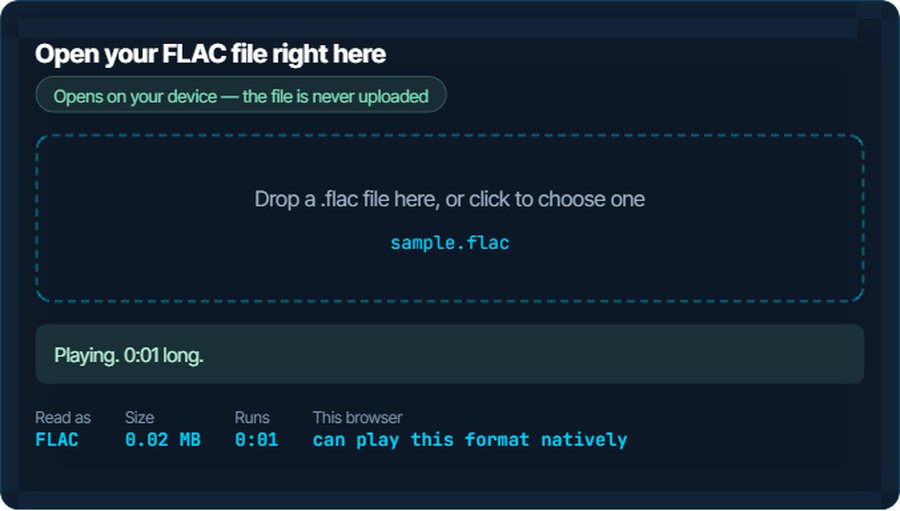
Chrome, Firefox, Edge and Safari all decode FLAC in an audio element, which is what the inspector above uses. This is one of the few formats with no browser exception.
In a car, on a TV or a games console
Newer car head units read FLAC from USB; many built before about 2018 list only MP3, WMA and AAC and silently skip everything else. Most Samsung, LG and Sony TVs play it from USB; Plex, Sonos and most streamers play it over the network; PlayStation and Xbox media players do not.
When it will not open, or opens wrong
iTunes or the Music app will not import it
Apple has never supported FLAC in its music library, on any platform.
The fix: Convert to ALAC, Apple Lossless: the same audio, still lossless, in an M4A that Music imports. Or to AAC if size matters more than lossless.
The car stereo skips the file or shows an empty folder
The head unit does not decode FLAC. Many list only MP3, WMA and AAC.
The fix: Convert to MP3 at 320 kbps for the car copy. Keep the FLAC as the master; the MP3 is a derivative, not a replacement.
Plays, but the high-resolution file sounds no different
The playback chain resamples to 48 kHz or the DAC cannot do better, which is the case for most laptops and phones. The file is fine; the hardware is the limit.
The fix: Nothing to fix. If the difference cannot be heard on your equipment, a 16-bit 44.1 kHz FLAC is the same music at a third of the size.
The file is huge
Lossless is half of enormous, and a 24-bit 96 kHz album can be a gigabyte.
The fix: Convert to MP3 or AAC for phones and cars, and keep the FLAC at home. Converting to another lossless format saves nothing.
A whole album is one file
The rip was made as a single image with a .cue sheet beside it.
The fix: Players that read cue sheets, foobar2000 and MusicBee among them, show the tracks. To split into files, use the audio trimmer for a handful of tracks, or a cue splitter for a full album.
An editor imports silence or refuses it
An older editor without FLAC support, or a 24-bit file in an editor that only reads 16-bit.
The fix: Convert to WAV; it is bit-for-bit the same audio and every editor reads it.
What to do with it next
Questions people ask
What is a FLAC file?
Lossless compressed audio: the same sound as the CD or master, at about half the size of a WAV, with tags and cover art. Decoding it gives back exactly the original.
Why will iTunes or Apple Music not play FLAC?
Apple never added FLAC to its music library and offers ALAC instead. Convert FLAC to ALAC, which loses nothing, and Music imports it.
Is FLAC better than MP3?
FLAC is lossless and MP3 is not, so FLAC is always at least as good and usually noticeably better on decent equipment. MP3 wins on size and on compatibility with old devices.
Does converting FLAC to MP3 lose quality?
Yes: MP3 discards audio to get small. At 320 kbps the loss is hard to hear. Keep the FLAC and treat the MP3 as a travel copy.
Can I open a FLAC file on my iPhone?
Yes, in the Files app since iOS 11, and in VLC, Foobar2000 or Plexamp for a proper library. Only the Music app refuses it.
How do I play FLAC in my car?
If the head unit lists FLAC, put the files on a USB stick. If it does not, convert to MP3 at 320 kbps; most units built before 2018 read nothing else.