What a AVI file actually is
Audio Video Interleave arrived with Windows 3.1 in 1992 and was the video container of the whole DivX and Xvid era: films ripped from DVD in the 2000s, camcorder footage, screen captures from old tools, and clips from digital cameras that recorded Motion JPEG. The container says nothing about the codec inside, and that codec is what decides whether a file opens: Xvid and DivX are everywhere, Motion JPEG is common from cameras, and older Indeo, Cinepak and uncompressed streams are rare and often refused.
It is also a format built before video was measured in gigabytes. AVI has no proper support for modern codecs, no streaming, no chapters, and a 2 GB limit in its original form; files bigger than that use extensions that older software cannot read. Nothing records to AVI by choice any more, so the file you hold is almost certainly an old one.
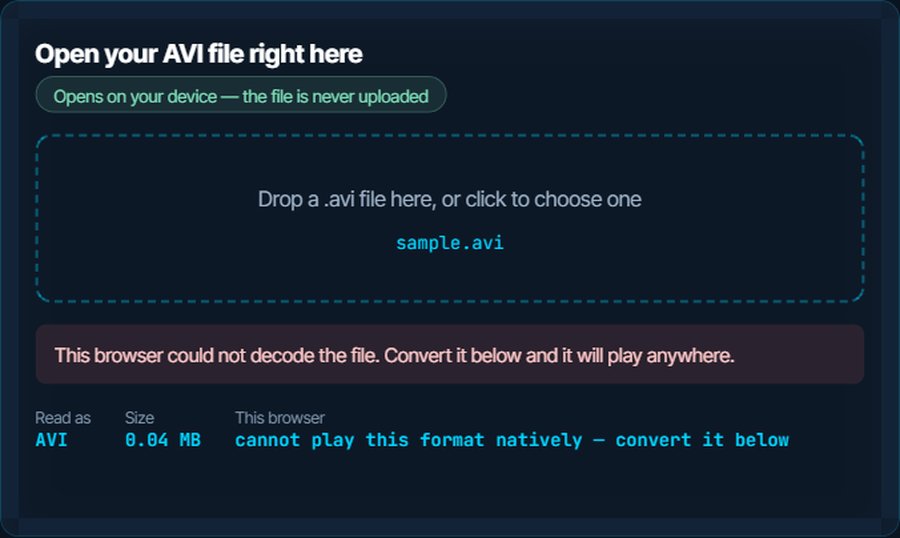
That makes the fix simple. A conversion to MP4 with H.264 plays on every device made in the last fifteen years, and for most old AVIs it is not the picture that gets worse but the compatibility that gets fixed. The inspector above tests the container in this browser, which refuses it whatever the codec; the sections below cover the rest.
How to open a AVI file on each device
Windows
Media Player and the Films & TV app open AVI when the codec inside is one Windows knows: Xvid, DivX, Motion JPEG and most others from the 2000s. A few old codecs return a black screen. VLC, MPC-HC and mpv play every AVI ever made, with nothing installed.
macOS
QuickTime Player does not open an AVI holding DivX or Xvid, and Photos and iMovie refuse the container. VLC and IINA play it. To use it in Apple's apps, convert to MP4 below.
iPhone and iPad
No built-in app plays AVI and Files will not preview it. VLC for iOS and Infuse play it. Convert to MP4 for Photos, iMovie or sending by message.
Android
Android's built-in player refuses most AVIs, because the codecs inside are not on its supported list. VLC and MX Player play them, and both decode Xvid and DivX in software.
In a browser
No browser plays AVI, on any platform; the container is not part of HTML5 video. The inspector above will report that, whatever browser you are in. Convert to MP4 or WebM for anything that has to play on the web.
In a video editor
Premiere Pro, Resolve and Final Cut import many AVIs, but fail on old codecs, and iMovie refuses the container outright. Convert to MP4 first and every editor takes it, including at the resolution and frame rate an editor expects.
When it will not open, or opens wrong
The player opens it, but the screen is black and there is sound
The video codec inside is one the player cannot decode: an old DivX build, Indeo, Cinepak, or a camera codec.
The fix: VLC decodes all of them. For any other player, convert to MP4; the converter decodes the old codec once and writes H.264.
A Mac, iPhone or Android phone will not open it at all
Apple never supported AVI in its own apps, and Android's built-in player lacks the codecs.
The fix: Play it in VLC, or convert to MP4 and it opens in Photos, iMovie and every phone player.
The picture is stretched or squashed
A DVD rip with non-square pixels, where the file relies on a display flag that modern players ignore.
The fix: Convert to MP4 and set the output resolution to the right shape; the converter re-samples the pixels to square ones and the flag is no longer needed.
Sound and picture drift apart over the film
A variable-bitrate MP3 audio track in an AVI, a combination the container never handled well, or a damaged index.
The fix: Convert to MP4. Both tracks are rewritten with proper timestamps and the drift disappears.
The file is over 2 GB and an old program refuses it
AVI's original limit was 2 GB; larger files use the OpenDML extension, which old software cannot read.
The fix: VLC reads it. Convert to MP4, which has no such limit, for anything else.
You need a short clip, a GIF or the audio
A scene from an old family video, or a reaction clip.
The fix: Video to GIF takes an AVI directly, in the browser. For a clip or the audio, convert to MP4 first, then trim or extract.
What to do with it next
Questions people ask
What is an AVI file?
A Windows video container from 1992, the format of the DivX and Xvid era. It can hold almost any codec, which is why some AVIs open everywhere and others show a black screen.
How do I open an AVI file on a Mac?
QuickTime usually cannot. Play it in VLC or IINA, or convert it to MP4 on kliptools.io, after which QuickTime, Photos and iMovie all open it.
Why does my AVI play with sound but a black picture?
The player lacks the video codec inside the file. VLC decodes every AVI codec; converting to MP4 fixes it for every other player.
How do I convert AVI to MP4?
Use the video converter on kliptools.io: drop the file, choose MP4, download. The old codec is decoded once and written as H.264, which plays everywhere.
Does converting AVI to MP4 lose quality?
The old codec is re-encoded, so a little in principle. In practice a DivX-era file at a reasonable H.264 bitrate looks the same and is often smaller. Nothing in the AVI was worth preserving bit for bit.
Can I play an AVI file on my phone?
In VLC or MX Player, yes. The built-in players on iPhone and most Androids refuse it, so convert to MP4 for those.