What a WEBM file actually is
WebM was published by Google in 2010 as a royalty-free video format for HTML5, a slimmed-down Matroska container restricted to open codecs: VP8 and VP9 video, later AV1, with Vorbis or Opus audio. Because browsers could ship it without paying licence fees, it became the format of anything recorded in a browser: Loom, Google Meet recordings, Discord clips, Chrome's own screen capture, OBS's browser source, and the MediaRecorder API that web apps use to record a camera or a screen.
That origin explains both what opens it and what does not. Chrome, Firefox, Edge and Safari play it. Windows has decoded VP9 since 2017 and Android has for longer. Apple's QuickTime, Photos, iMovie and Final Cut never adopted it, and neither did Premiere Pro or DaVinci Resolve, so a WebM screen recording arriving at an editor is the classic dead end.
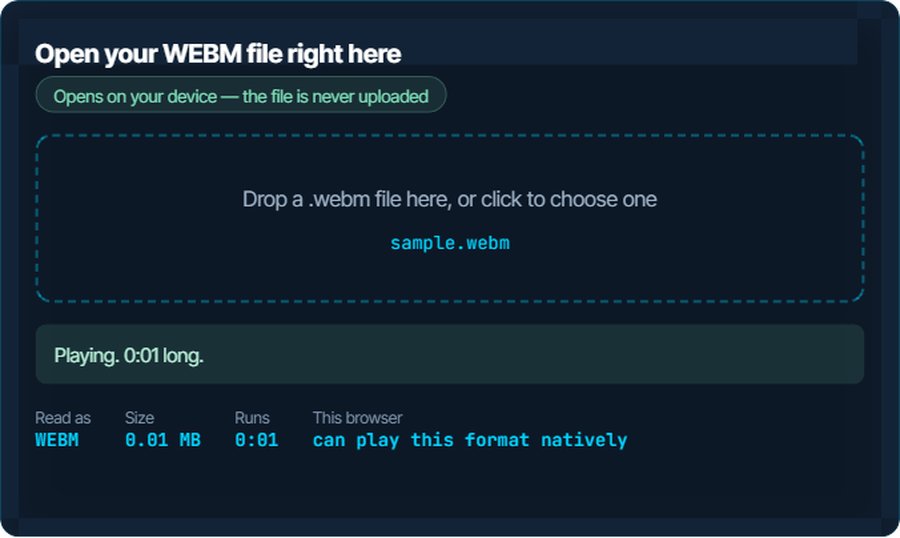
One quirk is specific to recordings: a WebM written by a browser has no duration in its header, because the browser did not know how long the recording would be until it stopped. Players show 0:00 or nothing, and seeking is unreliable, until the file is remuxed. The inspector above reports that case honestly, and the conversion below writes a proper header as a side effect.
How to open a WEBM file on each device
Windows
Media Player and the Films & TV app play WebM on Windows 10 and 11, with VP9 built in and AV1 after the free AV1 Video Extension. VLC, MPC-HC and mpv play it with nothing installed. A recording without a duration in its header may show no length in the built-in apps until it has played through.
macOS
QuickTime Player, Photos and the Finder preview do not open WebM. Safari plays it since version 14.1, and Chrome, VLC and IINA play it. To use it in iMovie, Final Cut or Photos, convert to MP4 below.
iPhone and iPad
No built-in app plays WebM and Files will not preview it, although Safari on iOS 15 and later plays one embedded in a page. VLC for iOS plays it. Convert to MP4 for Photos or iMovie.
Android
Native since Android 2.3; Chrome, the Gallery and most players open it. Older phones without hardware VP9 may stutter on 1080p; VLC or a conversion to H.264 MP4 fixes it.
In a browser
This is the format's home. Every current browser plays WebM in a video element, which is what the inspector above uses. If it plays here, the file is fine and the problem is elsewhere.
In a video editor
Premiere Pro, DaVinci Resolve, Final Cut and iMovie do not import WebM. Shotcut, Kdenlive and OBS handle it. For the others, convert to MP4 first; H.264 in an MP4 opens in every editor.
When it will not open, or opens wrong
The player shows 0:00 or cannot seek
A browser recording with no duration in its header. The browser wrote frames as they came and never went back to fill in the length.
The fix: Convert to MP4 below, or even to WebM again: either writes a header with the duration and an index. Playback is unaffected; only the length and seeking were missing.
QuickTime, Photos or iMovie refuse the file
Apple never added WebM support to its own apps.
The fix: Convert to MP4 with H.264 and AAC on kliptools.io. It plays in every Apple app afterwards.
Premiere Pro or Resolve will not import it
Neither reads the WebM container or the VP9 codec.
The fix: Convert to MP4. The converter re-encodes VP9 to H.264, which every editor takes; the quality loss at a reasonable bitrate is not visible in a screen recording.
The recording is huge for its length
A screen recorder at 60 frames per second and full resolution, or a recording with no compression tuning at all.
The fix: Run it through the video compressor with a target size, or convert to MP4 at 30 frames per second; a screen recording rarely needs more.
There is picture but no sound, or sound but no picture, in one app
The app decodes VP8 but not VP9, or Vorbis but not Opus. Older Windows apps and some TVs are in this group.
The fix: VLC plays every combination. For the other app, convert to MP4; both tracks are re-encoded to codecs it knows.
A platform rejects the upload
Instagram, TikTok, LinkedIn and most course platforms want MP4. YouTube accepts WebM.
The fix: Convert to MP4. For YouTube, upload the WebM as it is.
What to do with it next
Questions people ask
What is a WEBM file?
Video in Google's royalty-free web format: VP8, VP9 or AV1 video with Opus or Vorbis audio. It is what browsers, Loom, Google Meet and most screen recorders produce.
How do I open a WEBM file on a Mac?
QuickTime and Photos will not. Play it in Safari, Chrome, VLC or IINA, or convert it to MP4 on kliptools.io for iMovie, Final Cut and Photos.
Why does my WEBM recording show no duration?
The browser that recorded it never wrote the length into the header. Converting the file, to MP4 or even back to WebM, writes a proper header and fixes seeking.
How do I convert WEBM to MP4?
Use the video converter on kliptools.io: drop the file, choose MP4, download. VP9 is re-encoded to H.264 so the result plays in every app and editor.
Does converting WEBM to MP4 lose quality?
A little, because VP9 has to be re-encoded to H.264; at a reasonable bitrate it is not visible, least of all in a screen recording. Nothing else changes.
Is WEBM better than MP4?
VP9 compresses slightly better than H.264, and WebM is free of licence fees, which is why the web uses it. MP4 with H.264 is accepted by far more apps, devices and editors. For anything outside a browser, MP4 wins.