What a SRT file actually is
SRT is the plainest subtitle format there is: a number, a start and end time, the lines of text, a blank line, repeat. It came out of a 1990s DVD-ripping program called SubRip and has outlived every format designed to replace it, precisely because there is almost nothing in it to go wrong.
Because it is text, “opening” it means two different things. Opening it to read it takes any editor, Notepad included. Opening it to watch it means giving it to a video player together with the video, which is what most people asking this question actually want. Both are covered below.
A file called movie.srt next to movie.mkv is picked up automatically by almost every player. That one rule, same folder and same name, solves most “my subtitles do not show” problems before they start.
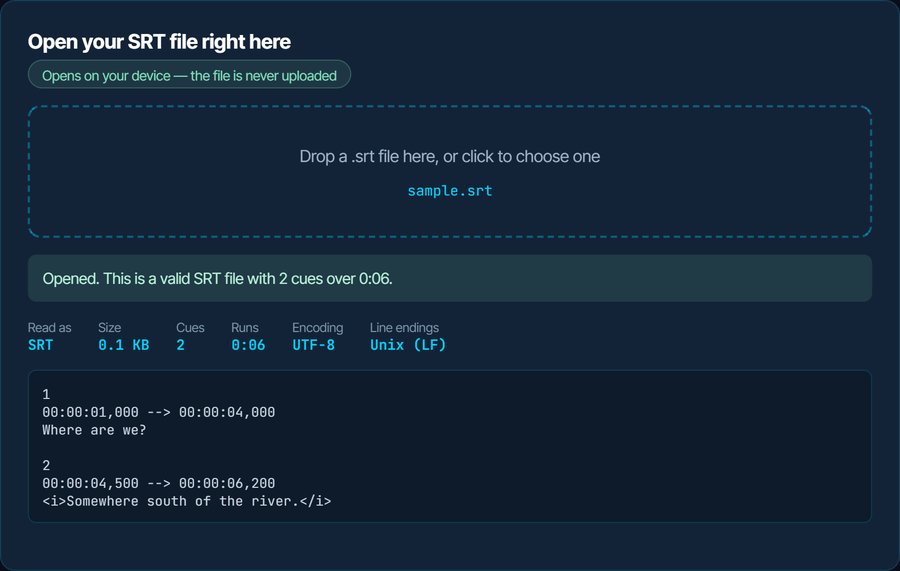
1
00:00:01,000 --> 00:00:04,000
Where are we?

2
00:00:04,500 --> 00:00:06,200
<i>Somewhere south of the river.</i>
How to open a SRT file on each device
Windows
Double-clicking opens it in Notepad, which is fine for reading. To watch with it, put the .srt in the same folder as the video with the same name and open the video in VLC, MPC-HC or mpv. In VLC you can also drag the .srt onto the playing window, or use Subtitle → Add Subtitle File. The Films & TV app picks up a same-name .srt too.
macOS
QuickTime Player cannot load an external subtitle file at all, which is the reason this question is asked so often on a Mac. Use VLC or IINA: open the video, then drag the .srt onto the window. TextEdit opens the file as text if you only need to read or fix it.
iPhone and iPad
The Files app previews an .srt as text. To watch with it, copy both the video and the .srt into VLC for iOS or Infuse; VLC loads a same-name .srt on its own, and both apps have a subtitle button to pick one manually.
Android
VLC for Android and MX Player both load a same-name .srt automatically and both have a menu entry to choose a subtitle file by hand. Files by Google opens it as text.
In a browser or on YouTube
Browsers do not play SRT natively; the format they understand is WebVTT, which is SRT with a header and a dot instead of a comma. Convert it with the SRT to VTT page below. YouTube Studio, Vimeo and most course platforms accept an .srt upload directly.
On a TV or from a USB stick
Most Samsung, LG and Sony TVs read a same-name .srt from a USB stick, and Plex, Jellyfin and Kodi treat it as a sidecar file. The ones that refuse usually want UTF-8 encoding, which is the first thing the inspector above checks.
When it will not open, or opens wrong
Accents show as é, ç or question marks
The file is saved as Windows-1252 and the player is reading it as UTF-8, which every player has assumed since about 2010. Portuguese, Spanish and French subtitles from older sites are the usual victims.
The fix: Drop the file above: if it reports Windows-1252, the Download as UTF-8 button writes a fixed copy. In VLC you can also set Preferences → Subtitles → Default encoding, but that fixes one player rather than the file.
The subtitles never appear
Nine times in ten the file name does not match the video name, or the file is in another folder. The tenth time, the timestamps use a dot before the milliseconds instead of a comma, and a strict player skips every cue.
The fix: Rename the .srt to match the video exactly, extension aside. The inspector flags dotted timestamps; the SRT to VTT or SRT to SRT round trip through the subtitle converter rewrites them.
They appear, but a few seconds early or late
The subtitles were made for a different cut or release of the same video. The offset is constant from start to finish.
The fix: Shift the whole file by that offset in the subtitle sync tool. It takes an offset in seconds, positive or negative, and writes a corrected .srt.
Fine at the start, minutes off by the end
A frame-rate mismatch: the subtitles were timed for a 23.976 fps release and the video runs at 25 fps, or the reverse. The drift is 4.1 percent, roughly three minutes over a feature film.
The fix: The subtitle sync tool has a 23.976 ↔ 25 fps correction that rescales every timestamp. Do not try to fix this with an offset; it will only be right at one moment.
Notepad shows the whole file on one line
The file uses Unix line endings, and Notepad only learned to read those in 2018. The file itself is fine, and every player reads it.
The fix: Open it in any other editor, or use the Download as UTF-8 button above, which writes Windows line endings for .srt files.
Tags like <i> show up on screen
SRT has no official styling. Italics and colour tags are a convention that most players honour and some TVs and older devices print literally.
The fix: Convert to plain text with the SRT to TXT page if the tags are unwanted, or keep the tags and switch player.
What to do with it next
Questions people ask
Do I need special software to open an SRT file?
No. It is a plain text file, so Notepad, TextEdit or any editor opens it for reading. To watch a video with it you need a player that loads subtitle files, and VLC does that on every platform.
Why does my SRT file open in Notepad instead of playing?
Because Windows associates text files with Notepad, and an SRT file is text. Nothing is wrong. To use it as subtitles, open the video in a player and load the .srt from there, or give both files the same name in the same folder.
Can I open an SRT file on my phone?
Yes. On iPhone and Android, VLC loads an .srt next to a video, and both the Files app and Files by Google will show its text. What you cannot do is make the built-in photo or video app use it.
Why are the accented letters broken?
The file is not saved as UTF-8. Players assume UTF-8, so Windows-1252 characters come out as two-letter garbage. Drop the file into the inspector on this page and download the UTF-8 copy.
Is SRT the same as SUB or VTT?
No. VTT is SRT adapted for browsers, with a header line and dots in the timestamps. SUB is used by three unrelated formats, one of which counts frames instead of time. All of them convert to and from SRT on this site.
How do I add the subtitles to the video permanently?
Burn them in. The subtitle burner on kliptools.io draws the text into the picture, so the result plays on any device with no subtitle support at all. The audio is copied across untouched.