What a WMA file actually is
Windows Media Audio arrived in 1999 as Microsoft's rival to MP3, and for years it was what you got by default when Windows Media Player ripped a CD, when an Olympus or Sony voice recorder saved a note, when a Nokia or Windows phone recorded a memo, and when a song was bought from MSN Music, Napster or the Zune store. It compresses about as well as MP3 did, and the family has three cousins: WMA Pro, WMA Lossless and WMA Voice.
Outside Windows, support was always thin and has since gone. Apple never built it in; the Flip4Mac plug-in that once added it to QuickTime is discontinued. No browser decodes it. Android never listed it officially, although some phones ship a decoder. So a WMA that leaves a Windows PC usually stops playing, and the question is not really “how do I open it” but “how do I get out of this format”.
One warning before any conversion. Tracks bought from the stores of that era carry Windows Media DRM: a licence tied to the PC, checked every time the file plays. Those files cannot be converted by this site or any other, and a page that claims otherwise is lying. The inspector above reports what the browser can do; the problems section says how to tell a DRM file from a plain one.
How to open a WMA file on each device
Windows
Every version of Windows plays WMA in Media Player, the Films & TV app, Groove and the legacy Windows Media Player, tags and cover art included. VLC and foobar2000 play it too, and foobar2000 reads the WMA Lossless and Pro variants that some players refuse.
macOS
QuickTime Player, Music and the Finder preview do not open WMA, and the old Flip4Mac plug-in no longer exists. VLC and IINA play it. To get a track into Music, convert to M4A or MP3 below.
iPhone and iPad
No built-in app plays WMA and Files will not preview it. VLC for iOS and Documents by Readdle play it. For Music or a voice memo, convert to M4A.
Android
Not officially supported, but Samsung and some other phones include a decoder, and VLC and Poweramp play it everywhere. If the built-in player refuses, convert to MP3.
In a browser
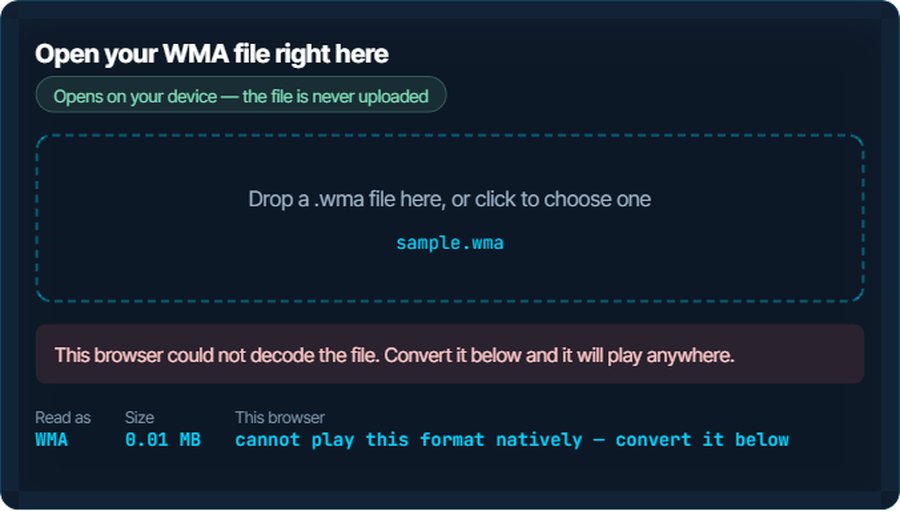
None. Chrome, Firefox, Edge and Safari all lack a WMA decoder, so the inspector above will report that it cannot play the file whatever browser you use. That is the format, not your browser, and the converter below is the way through.
In an editor
Audacity imports WMA once its optional FFmpeg library is installed. Premiere Pro reads it on Windows but not on a Mac. Convert to WAV for editing anywhere; nothing further is lost.
When it will not open, or opens wrong
The player says a licence is required, or the track will not play on another PC
The file is DRM-locked, from MSN Music, Napster, Zune or a similar store. The licence lived on the PC it was bought on.
The fix: No converter can open it, on this site or anywhere else. The honest options are the original store's licence backup if it still exists, or re-buying or streaming the track. A plain WMA rip has no such lock and converts in seconds.
A Mac, iPhone or browser will not open it
None of them has a WMA decoder, and none will get one.
The fix: Play it in VLC, or convert to MP3 for everything or M4A for Apple's apps. The audio is re-encoded once and the result plays anywhere.
It plays in VLC but not in another player
The file is WMA Lossless or WMA Pro, which fewer decoders handle than standard WMA.
The fix: Convert to FLAC to keep a lossless file lossless, or to MP3 or M4A for size.
A voice recording is quiet, hissy or hard to follow
A dictation recorder from the 2000s wrote WMA Voice at very low bitrates in a noisy room.
The fix: Convert to WAV, run the noise reducer and the loudness normaliser, or skip the listening and transcribe it with the speech-to-text tool.
Tags and album art are missing after conversion
WMA stores tags in ASF attributes; a converter that does not map them writes a bare file.
The fix: The audio converter on this site carries title, artist and album across into ID3 or MP4 tags.
You have a whole library of WMA rips
A decade of Windows Media Player defaults.
The fix: Convert them in batches to MP3 or M4A and keep the WMA originals until you have checked a few. Re-ripping the CDs to FLAC is better if you still have them; converting lossy to lossy loses a little each time.
What to do with it next
Questions people ask
What is a WMA file?
Windows Media Audio, Microsoft's compressed audio format from 1999. Windows Media Player ripped CDs into it by default for years, and old voice recorders and Windows phones used it too.
How do I open a WMA file on a Mac?
Apple's apps cannot. Play it in VLC or IINA, or convert it to MP3 or M4A on this site and use any app you like.
Can I play a WMA file on my iPhone?
Not with the built-in apps. VLC for iOS plays it; for the Music app, convert to M4A.
Why will my old WMA songs not play any more?
They are DRM-protected purchases whose licence was tied to a PC you no longer have. No converter can unlock them. Plain WMA rips from your own CDs have no DRM and convert normally.
Is WMA better than MP3?
At low bitrates it was slightly better in its day; at 192 kbps and above they are hard to tell apart. MP3 wins outright on compatibility, which is the reason to convert.
Does converting WMA to MP3 lose quality?
A little, because both are lossy and the MP3 re-encodes what WMA already compressed. At 256 or 320 kbps it is not audible. Convert to WAV or FLAC to lose nothing further.