What a ASS file actually is
ASS is a typesetting language that happens to carry subtitles. Named styles, exact positioning, rotation, fades, karaoke timing and vector drawing all live in the file, split across a [Script Info] header, a styles block and an [Events] section where each Dialogue: line is one cue.
SSA is its predecessor: version 4.00 of the same format, before the “Advanced” extensions of v4.00+. The sections and the Dialogue lines look nearly identical, the styles block has fewer columns, and everything on this page applies to both. The extension tells you which one you have; the ScriptType line in the header confirms it.
You meet ASS almost universally in fansubbed anime and in any release where the signs on screen are translated in place. It is usually embedded inside an MKV rather than sitting next to it, and it often depends on fonts that travel inside the same MKV as attachments. That last point is behind most “it opens but looks wrong” complaints.
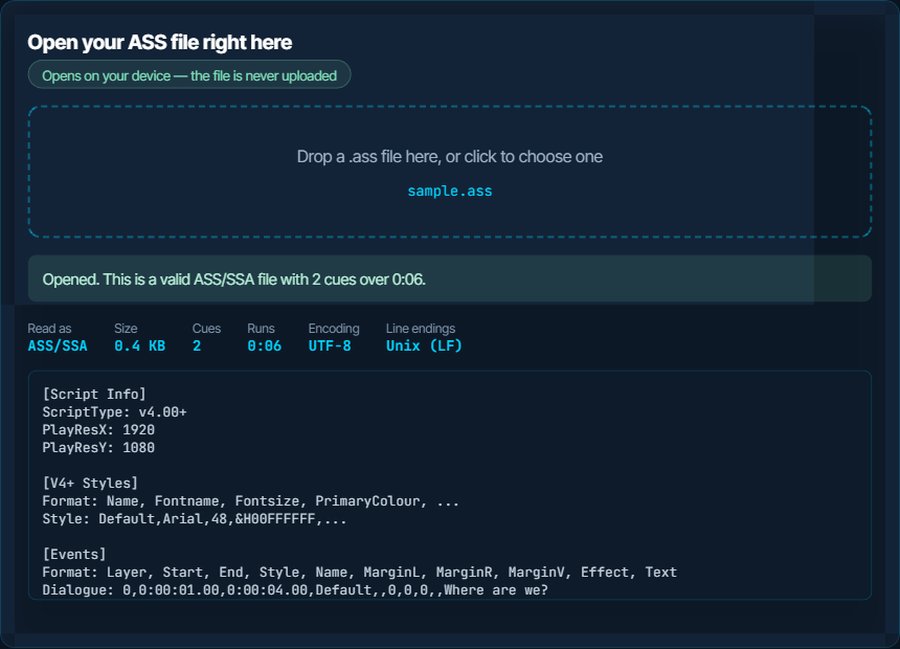
[Script Info]
ScriptType: v4.00+
PlayResX: 1920
PlayResY: 1080

[V4+ Styles]
Format: Name, Fontname, Fontsize, PrimaryColour, ...
Style: Default,Arial,48,&H00FFFFFF,...

[Events]
Format: Layer, Start, End, Style, Name, MarginL, MarginR, MarginV, Effect, Text
Dialogue: 0,0:00:01.00,0:00:04.00,Default,,0,0,0,,Where are we?
Dialogue: 0,0:00:04.50,0:00:06.20,Default,,0,0,0,,{\an8\pos(960,120)}Somewhere south of the river.
How to open a ASS file on each device
Windows
Notepad opens it as text. To watch it rendered, use VLC, mpv or MPC-HC, all of which ship libass and draw the styles, positions and effects. The Films & TV app and Windows Media Player do not. To edit it, Aegisub is the tool the format was designed around, and it is free.
macOS
QuickTime ignores external subtitles entirely. IINA and mpv render ASS faithfully; VLC does too. Aegisub has Mac builds for editing. TextEdit shows the raw text.
iPhone and iPad
VLC for iOS and Infuse both render ASS with libass, styling included. The Files app only shows the text. Copy the video and the .ass into the player, or load an MKV that carries the subtitle track inside.
Android
VLC for Android and MX Player render ASS properly, including positioned signs. Most other players fall back to plain text at the bottom of the screen, which is the format working but the styling being discarded.
In a browser
No browser understands ASS. Web players that show it use a WebAssembly build of libass, which no ordinary site offers. Convert to VTT for the web with the ASS to VTT page; you keep the text and timing and lose the typesetting.
Inside an MKV file
Most ASS subtitles are muxed into the MKV. Any libass player picks the track from the subtitle menu. To get the .ass out as a file, use MKVToolNix's mkvextract, or gMKVExtractGUI on Windows; the fonts are extracted the same way, from the attachments.
When it will not open, or opens wrong
It opens, but the text is plain and in the wrong place
The player does not have libass and is treating the file as SRT with extra fields. Signs meant for the top of the frame land at the bottom, colours vanish, and karaoke becomes static text.
The fix: Switch to VLC, mpv, IINA, MX Player or Infuse. There is nothing to fix in the file.
The font is wrong and signs overflow the frame
The styles reference fonts that are not installed. Fansub releases attach them inside the MKV; a loose .ass has lost that link, so the player substitutes Arial and the sizes no longer match.
The fix: Extract the fonts from the original MKV with mkvextract and install them, or point mpv at a fonts folder next to the file. Burning the subtitles in with the burner on kliptools.io also fixes it permanently if the fonts are installed where the burn happens.
The player shows nothing at all
There is no [Events] section, or the Format: line above the Dialogue lines does not match their columns. Files edited by hand or by a converter that only knew SSA v4 fail this way.
The fix: Drop the file above: a missing [Events] block is reported. A round trip through the subtitle converter rewrites the header and Format lines to v4.00+.
Uploaded to YouTube or Vimeo, the styling is gone
Those platforms accept ASS but strip everything except the text and timing. That is the platform, not the file.
The fix: Nothing to fix. If the styled look matters, burn the subtitles into the video before uploading.
Timestamps shifted by a few hundredths of a second after converting
ASS stores centiseconds, two digits, where SRT and VTT store milliseconds, three. A converter rounds the last digit.
The fix: It is 10 ms at most and invisible in playback. If you need exact values, keep the ASS.
Accents are broken in an older SSA file
SSA files from the early 2000s were often saved in a Windows code page, before UTF-8 was the norm. Today's players assume UTF-8.
The fix: The inspector reports the encoding; the Download as UTF-8 button rewrites the file. Check that the Encoding field in the style is 1, which means Unicode.
What to do with it next
Questions people ask
What is the difference between ASS and SSA?
SSA is version 4.00 of the format; ASS is version 4.00+ with more style columns and more override tags. They convert to each other, every libass player reads both, and there is no reason to author in SSA today.
Which player shows ASS subtitles correctly?
Any player built on libass: VLC, mpv, IINA, MPC-HC, MX Player and Infuse. Players without it show the text but not the styling.
Why do my ASS subtitles look different from the release screenshots?
Fonts. The release carried them inside the MKV, and your player is substituting a default. Extract and install the fonts, or use a player that reads the MKV attachments, which mpv and VLC do.
Can I edit an ASS file in Notepad?
Yes, it is plain text, but a stray comma in a Dialogue line breaks that cue. Aegisub is free, edits the file visually, and is what the format was designed for.
Does converting ASS to SRT lose anything?
It loses everything that is not text and timing: positions, colours, fonts, karaoke and drawings. The words and when they appear survive exactly, to the nearest 10 ms.
How do I extract the ASS from an MKV?
With MKVToolNix, the mkvextract command pulls any track out as a file. On Windows, gMKVExtractGUI does the same with a window. The attached fonts come out the same way.